Speaker Information
Thank you for becoming a speaker at our event.
To prepare for the event, especially if you’re doing a live presentation, it is crucial that you read the following details to avoid any delays or complications during the event:
- Click the link to your Streamyard Studio below 10 minutes before your session starts (this aligns with the time in your calendar invitation).
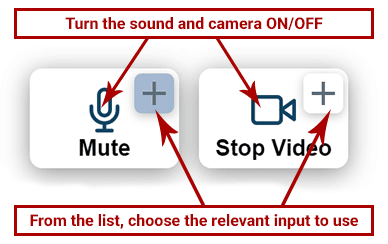
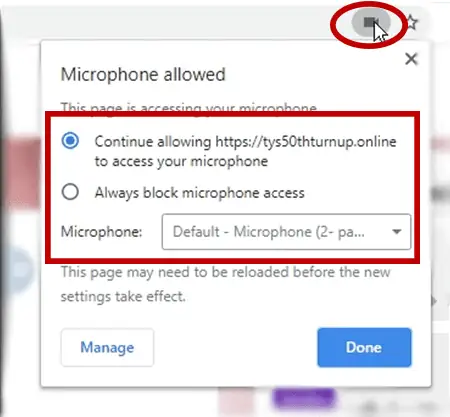
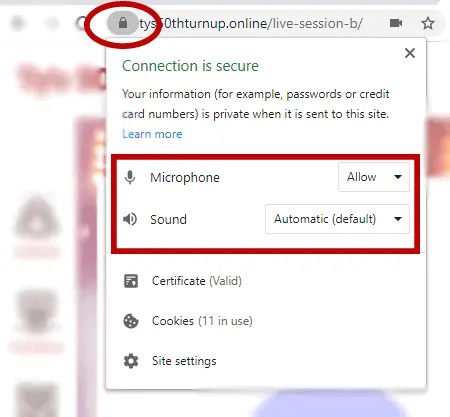
- Please ensure both your camera and microphone are working as expected.
- We'll check your microphone and camera quality, and suggest some ways to improve it if needed.
- If you are presenting, make sure your slides are correct. We strongly recommend sharing your screen, but you may upload your presentation if that causes any problems.
- A second computer display can be useful for speaker notes, or you may prefer to print or write your notes.
Please Make Sure You:
- Use headphones or earphones to reduce echo
- Are in a quiet, well-lit, distraction-free space
- Use Chrome or Edge where possible
- Plug your laptop into power
- Close unnecessary tabs, apps and notifications
- Have a stable internet connection
How Do You Join Your Session?
Join using your unique link below. A member of the Atarim team will help to check everything is working before a host arrives to take you live.
Confirmed Sessions
Can’t find your session in this list? If there’s still before the event, allow the host to add it. If the event is starting soon or already running, please notify the host.
No items found, visit your Host Panel to add Sessions